
Laptop Buying Guide 2026: How to Choose the Right Laptop
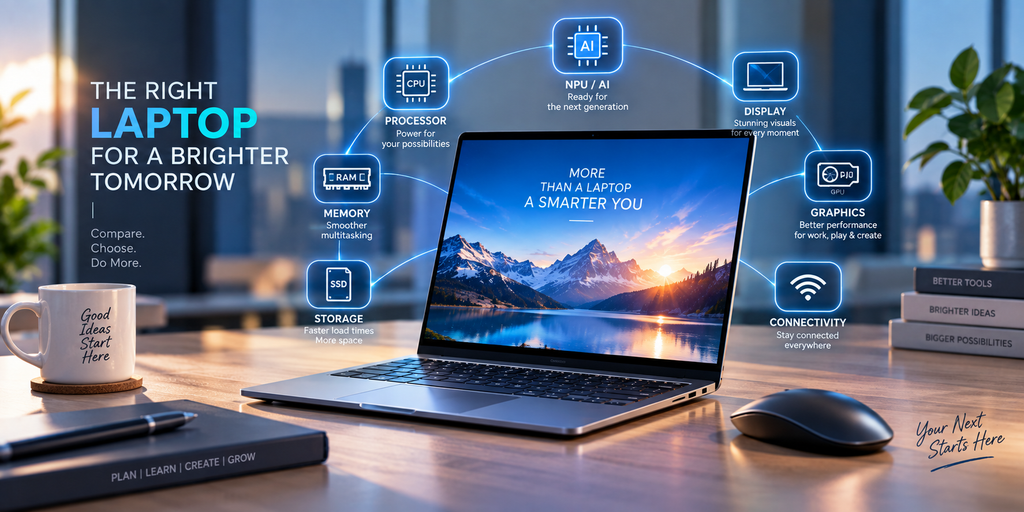
Buying a new laptop can be confusing. With different processors, RAM configurations, SSD capacities, graphics cards, screen sizes, AI features and price ranges, it can be difficult to know which specifications actually matter.
Whether you are a student, business professional, programmer, designer, content creator or gamer, the right laptop depends on how you plan to use it.
This Laptop Buying Guide 2026 explains the most important laptop specifications and shows you how to choose a laptop that matches your requirements, budget and future needs.
1. Decide What You Will Use the Laptop For
Before comparing laptop brands or specifications, identify your main purpose.
A laptop for basic office work does not need the same hardware as a laptop for video editing or gaming.
Consider whether you need a laptop for:
- Students and college work
- Office and business use
- Work from home
- Programming and coding
- Graphic design
- Video editing
- Gaming
- AI applications
- Professional software
- Everyday browsing and entertainment
Microsoft’s current laptop buying guidance similarly recommends matching specifications to the user’s workload rather than choosing hardware based only on individual numbers.
2. Choose the Right Laptop Processor
The processor, or CPU, is one of the most important components in a laptop.
Modern laptops commonly use processors from Intel, AMD and Qualcomm, with different processor families designed for different levels of performance and power efficiency.
When comparing processors, look beyond the brand name. Consider:
- Processor generation
- Number of cores
- Performance level
- Power efficiency
- Integrated graphics
- AI/NPU capabilities
- Compatibility with your applications
For everyday office work, web browsing and productivity, a mid-range processor can be sufficient. Professional creators, developers and gamers may require significantly more processing performance.
The best laptop processor is therefore not necessarily the most expensive one. It is the processor that matches your workload.
3. How Much RAM Do You Need?
RAM affects how smoothly your laptop can handle multiple applications and tasks at the same time.
For many modern users, 16GB RAM is a practical target when purchasing a new laptop.
A simple guideline is:
8GB RAM
Suitable for lighter tasks such as:
- Web browsing
- Documents
- Basic office applications
- Online classes
16GB RAM
A strong choice for:
- Business work
- Programming
- Multitasking
- Productivity
- Creative applications
- Modern AI-enabled applications
32GB RAM or More
Consider higher memory for:
- Professional video editing
- 3D applications
- Large datasets
- Virtual machines
- Advanced development workloads
- Heavy multitasking
Microsoft’s current laptop guidance lists 8GB–16GB for many multitasking and student scenarios, while its gaming and AI-oriented guidance recommends higher configurations depending on the workload.
4. SSD Storage: 512GB or 1TB?
Storage is another major consideration.
Modern laptops generally use SSD storage, which provides fast system and application loading.
For many users:
256GB: Basic usage with cloud storage
512GB: Good starting point for many users
1TB: Better for large applications, games and media
2TB+: Useful for professional content and large data collections
If you store photographs, videos, games or professional projects locally, choosing additional storage can save you from running out of space later.
If your current laptop is slow because of an old or inadequate storage drive, an SSD upgrade may also be an option instead of replacing the entire laptop.
5. Choose the Right Laptop Display
The display affects your everyday experience more than many buyers realize.
Important display specifications include:
- Screen size
- Resolution
- Brightness
- Refresh rate
- Colour coverage
- Panel technology
- Touch support
14-inch laptops
A 14-inch laptop can offer a useful balance between portability and screen space.
15.6-inch laptops
A 15.6-inch laptop provides more working area and is popular for office work, entertainment and general-purpose computing.
16-inch and larger laptops
Larger displays can be useful for gaming, editing, design and professional workloads where screen space is important.
For resolution, Full HD is suitable for many users, while QHD or 4K can be attractive for creators and users who prioritize image detail.
6. OLED vs IPS Laptop Display
Premium laptops increasingly offer OLED displays.
OLED can provide excellent contrast, deep blacks and vibrant colours, making it attractive for creators, entertainment and premium users.
IPS displays remain an excellent choice for many users because they can provide good viewing angles, colour reproduction and practical everyday performance.
Don’t choose a laptop only because it has an OLED display. Compare the entire configuration, including brightness, refresh rate, battery life, resolution and price.
7. Do You Need a Dedicated Graphics Card?
Not every laptop needs a dedicated GPU.
For:
- Office work
- Browsing
- Documents
- Programming
- Video calls
- General productivity
integrated graphics can be sufficient.
A dedicated GPU becomes more important for:
- Gaming
- 3D rendering
- Video editing
- CAD
- Animation
- Professional graphics
- GPU-accelerated applications
For gaming laptops, the GPU is particularly important because game performance depends heavily on graphics hardware.
Microsoft’s current buying guidance recommends discrete graphics for demanding gaming workloads.
8. Should You Buy an AI Laptop?
AI PCs are one of the major developments in current laptop technology.
An AI laptop can include a dedicated Neural Processing Unit (NPU) designed to accelerate supported AI workloads.
Microsoft’s Copilot+ PC requirements include an NPU capable of more than 40 trillion operations per second (TOPS), alongside other hardware requirements.
AI laptops can be useful for users interested in:
- AI assistants
- Image generation
- Video effects
- Voice processing
- Translation
- Productivity tools
- On-device AI applications
However, not every laptop buyer needs an AI PC.
If your primary use is basic browsing and office work, focus on the complete laptop configuration rather than buying solely because the product is advertised as an AI laptop.
9. Check Battery Life
Battery life is especially important if you travel frequently or work away from a desk.
Don’t judge battery life only by the manufacturer’s advertised maximum.
Actual battery performance can change depending on:
- Screen brightness
- Processor
- Applications
- Video playback
- Gaming
- Background processes
- Wireless connectivity
- Power settings
A lightweight productivity laptop may prioritize battery efficiency, while a powerful gaming laptop may prioritize performance.
Choose according to your lifestyle.
10. Check Laptop Weight and Build Quality
If you carry your laptop every day, weight matters.
Students and professionals who travel frequently may prefer a lightweight 13-, 14- or 15-inch laptop.
For desktop replacement or gaming use, weight may be less important.
Also consider:
- Hinge quality
- Keyboard construction
- Trackpad
- Chassis material
- Cooling
- Port selection
- Webcam
- Speakers
A laptop is a long-term purchase, so physical usability matters as much as specifications.
11. Check Connectivity and Ports
Before buying, check the ports you actually need.
Depending on the laptop, these can include:
- USB-A
- USB-C
- HDMI
- Audio jack
- SD card reader
- Ethernet
- Thunderbolt or other high-speed connectivity
Also check the wireless standards supported by the specific model.
If you regularly connect external monitors, storage drives, projectors or other accessories, port selection can significantly affect your experience.
12. Windows 11 Compatibility
If you are buying a Windows laptop, make sure the hardware and software configuration meets current requirements.
Microsoft lists minimum Windows 11 requirements including a compatible 64-bit processor, 4GB RAM, 64GB storage, UEFI Secure Boot capability and TPM 2.0.
These are minimum operating-system requirements, not recommended specifications for a comfortable modern laptop.
For a new laptop purchase, it is sensible to consider substantially more memory and storage than the minimum.
13. Laptop Buying Guide for Students
Students usually need a laptop that balances:
- Price
- Battery life
- Portability
- Performance
- Keyboard quality
- Storage
- Reliability
For general college work, a modern processor, 16GB RAM and a 512GB SSD can provide a practical starting configuration.
Students studying engineering, architecture, design, programming or media may need additional GPU performance depending on their software.
14. Laptop Buying Guide for Business Users
Business users should consider more than processor speed.
Important features include:
- Security
- Reliability
- Battery life
- Webcam
- Keyboard
- Connectivity
- Warranty
- Business software compatibility
For companies purchasing multiple laptops, standardizing configurations can make maintenance and IT support easier.
Businesses can also consider professional Business IT Support for deployment, software installation, maintenance and troubleshooting.
15. Laptop Buying Guide for Gamers
Gaming laptops require a different specification balance.
Look carefully at:
- Dedicated GPU
- GPU memory
- Processor
- RAM
- SSD
- Display refresh rate
- Cooling
- Keyboard
- Power adapter
A gaming laptop can also be used for programming, office work and content creation, but it may be heavier and less portable than a productivity-focused laptop.
16. Laptop Buying Guide for Content Creators
Content creators should prioritize the components that match their applications.
For photo and video editing, look for:
- Powerful CPU
- Dedicated GPU when required
- 16GB or 32GB+ RAM
- Fast SSD
- High-quality display
- Good colour reproduction
- Sufficient storage
If you work with large video files, 1TB or more storage may be more practical.
17. New Laptop vs Upgrading Your Existing Laptop
Buying a new laptop isn’t always the only solution.
If your existing laptop is still compatible with your requirements, upgrades may improve its performance.
Depending on the model, possible upgrades include:
- SSD upgrade
- RAM upgrade
- Battery replacement
- Keyboard replacement
- Screen replacement
- Laptop cleaning
- Thermal maintenance
However, many modern thin laptops have soldered components, so upgradeability varies by model.
Before buying a new laptop, check whether your current machine can be upgraded economically.
18. 10 Things to Check Before Buying a Laptop
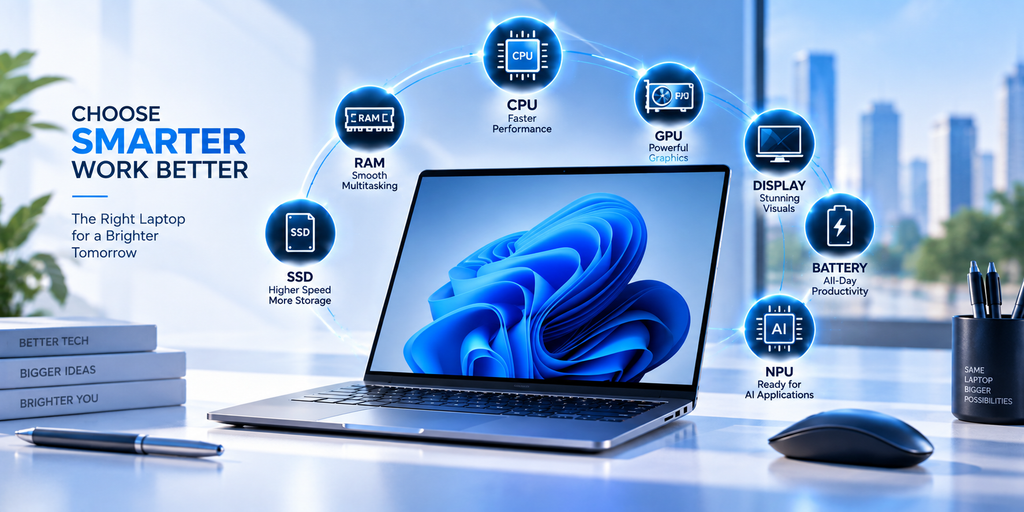
Before making your final decision, check:
- Processor generation and performance
- RAM capacity
- SSD capacity
- Graphics hardware
- Display quality
- Battery expectations
- Weight
- Ports and connectivity
- Upgradeability
- Warranty and after-sales support
Also compare the exact model number, not just the laptop series name.
Two laptops from the same product family can have completely different configurations.
19. How to Choose the Right Laptop in 2026
A simple decision process can make laptop shopping easier.
For basic users
Prioritize:
Battery + portability + SSD + comfortable display
For students
Prioritize:
Performance + battery + portability + RAM + reliability
For business users
Prioritize:
Security + reliability + battery + productivity + support
For creators
Prioritize:
CPU + GPU + RAM + display + SSD
For gamers
Prioritize:
GPU + CPU + RAM + display + cooling
For AI users
Prioritize:
NPU + CPU + RAM + SSD + application compatibility
Conclusion
Choosing the right laptop in 2026 is about finding the right balance between performance, price and your actual requirements.
Don’t choose a laptop simply because it has the newest processor, the largest RAM number or the highest screen resolution.
Instead, consider the complete configuration.
Think about your processor, RAM, SSD, graphics, display, battery, portability, connectivity, AI capabilities and future upgrade requirements.
For students, professionals, businesses, creators and gamers, the ideal laptop can be very different.
At THE LAPTOP SHOPPEE, you can explore laptop sales, laptop upgrades, repairs, genuine spare parts and IT solutions based on your specific requirements.
If you are unsure which configuration to choose, compare the specifications against your actual workload before making a purchase.
A well-chosen laptop can provide better performance today while giving you enough capability for the applications and workloads you may use tomorrow.